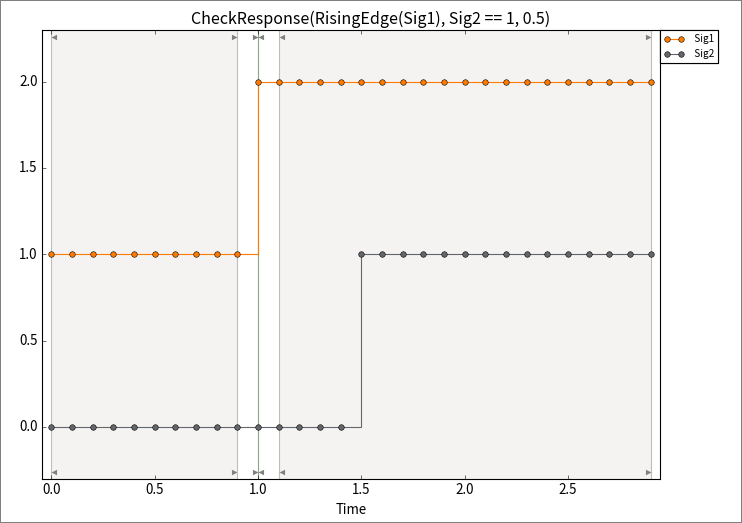
The CheckResponse function is now available for calculation steps and trigger blocks. It significantly simplifies temporal checking by requiring only two signals and a timeout parameter. If the value of the first signal is true at a given point in time, CheckResponse checks that the second signal also becomes true within the timeout period.
It is good practice to specify an edge function for the first signal, as the state change of a signal usually serves as the activation condition:
- CheckResponse(RisingEdge(Sig1), Sig2 == 1, 0.5)
The optional useHoldValue parameter can be used to address special cases where the second signal is rarely sampled and may have already been in the desired state before the activation time.