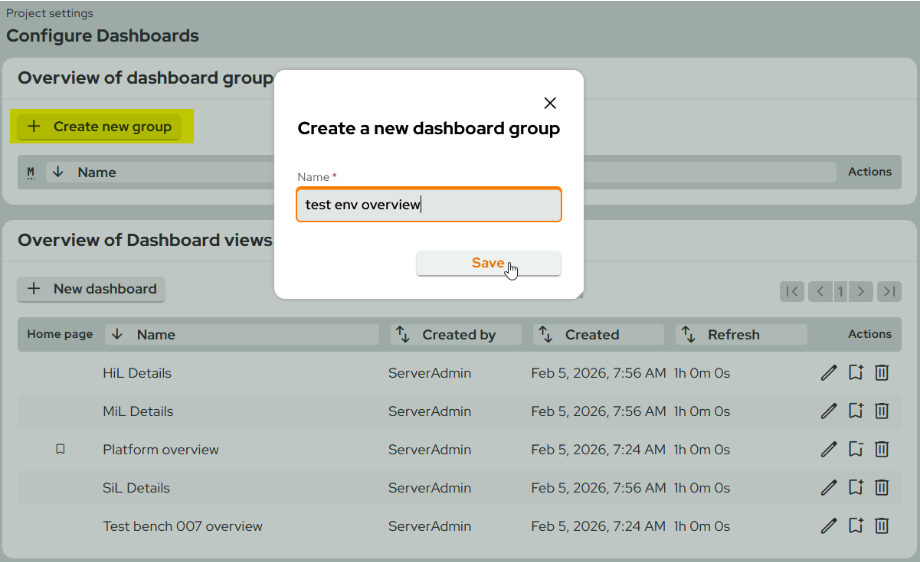
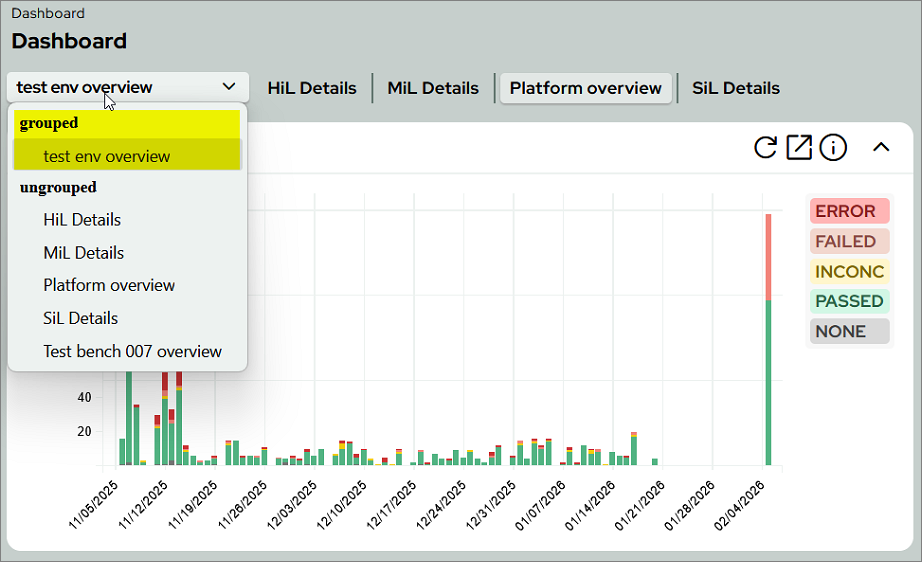
Do you have too many dashboards and not enough clarity? With the new Dashboard groups option, you can organize related dashboards logically, making daily reviews clearer and more efficient.
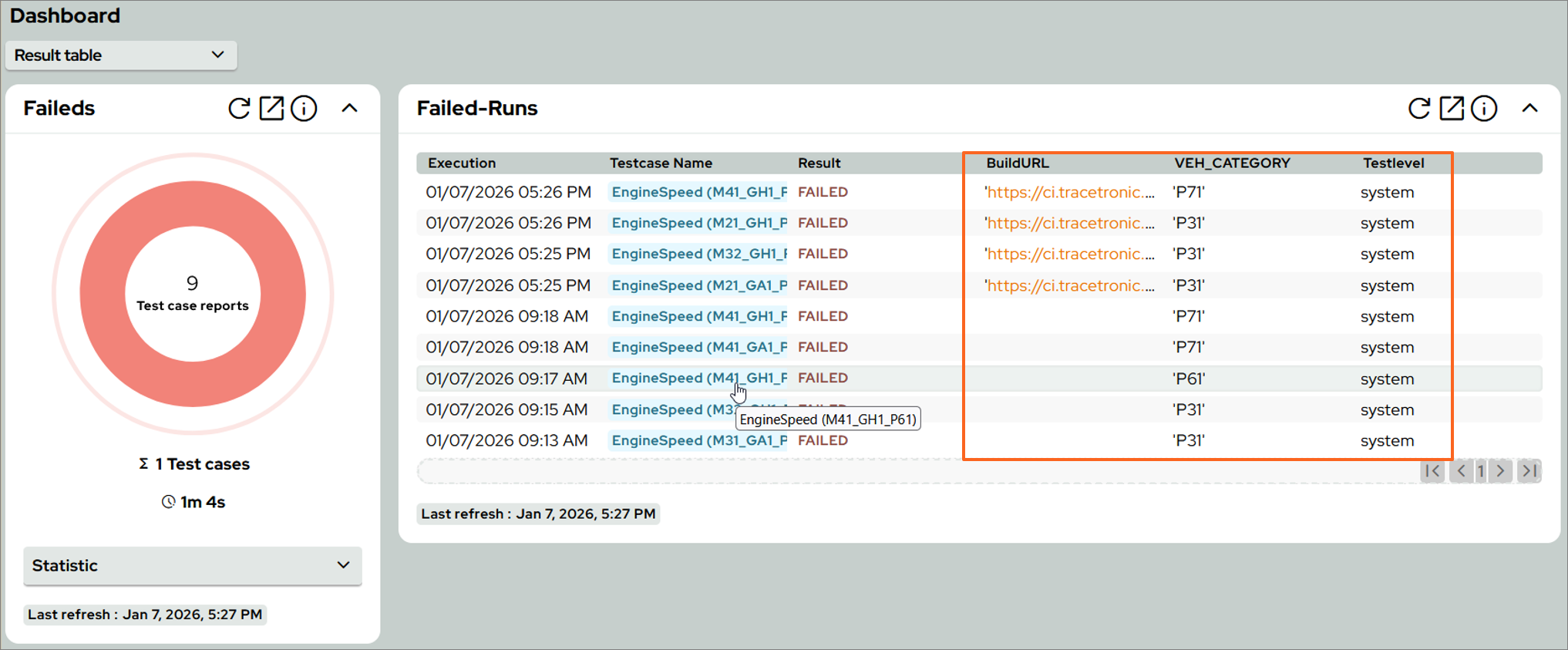
There is also a new dashboard widget, the Result filter (Table view), which filters test results by project and displays them clearly in a table.
Optionally, up to three attributes or constants can be selected for display—e.g., Requirement ID, Pipeline Link, or System Under Test (SUT).
test.guide 2026 Q1
Dashboard goups
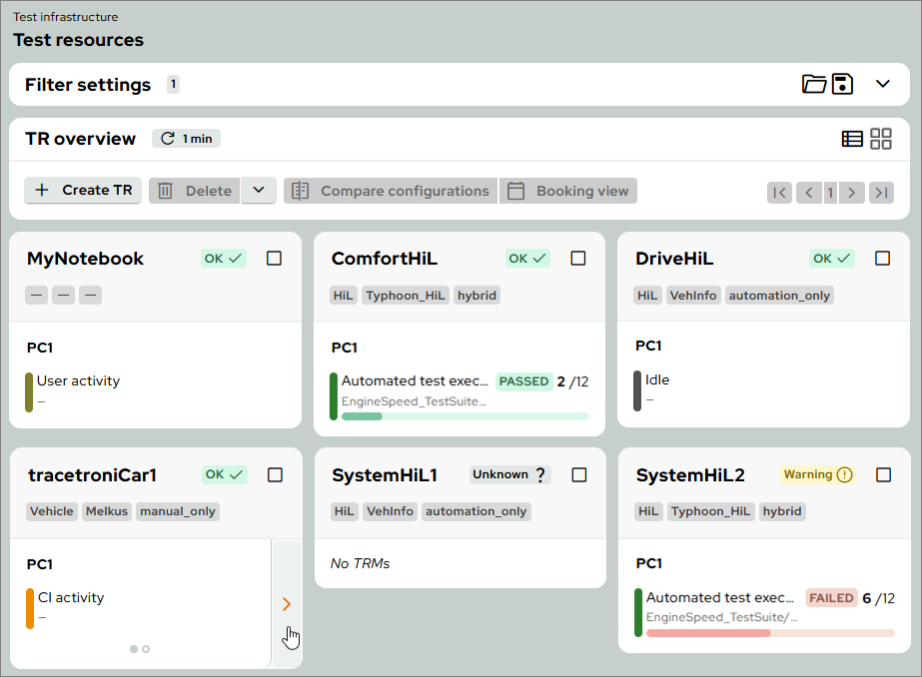
Tile view for test resources
Get a better overview at a glance: The new tile view under Test infrastructure > Test resources displays the status, activity, and details of Test Resource Machines in a clear and compact way.
- The view can be toggled at any time using the switch in the "TR Overview" panel.
- Under Test infrastructure > Settings, a default view per project can be configured, which will be displayed directly when opening the overview.
- All familiar functions (filtering, creating new test resources, and selection) remain available as usual.
Centralized management of ResourceAdapter connections
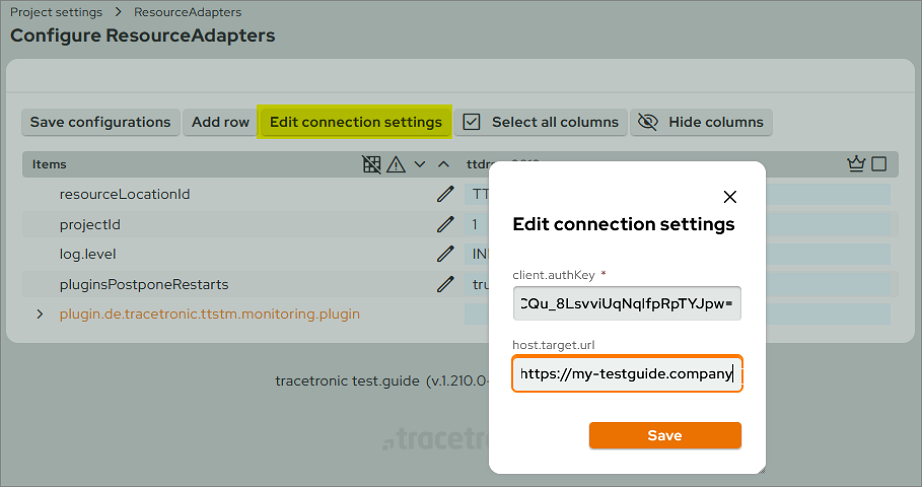
Connection settings for ResourceAdapters (authentication keys or server URLs) can now be changed centrally and easily.
This action is available via Project settings > ResourceAdapter using the Edit connection settings button and requires the "Manage monitoring" permission.
New settings are stored in an encrypted format until retrieved by the ResourceAdapter or overwritten by new data.
For security reasons, connection settings are still not displayed.
This action is available via Project settings > ResourceAdapter using the Edit connection settings button and requires the "Manage monitoring" permission.
New settings are stored in an encrypted format until retrieved by the ResourceAdapter or overwritten by new data.
For security reasons, connection settings are still not displayed.
Parameters in workflow automation
Parameters can be defined for triggers with the event type Test case reports export with flow trigger.
These require a unique name and can optionally be assigned with a default value.
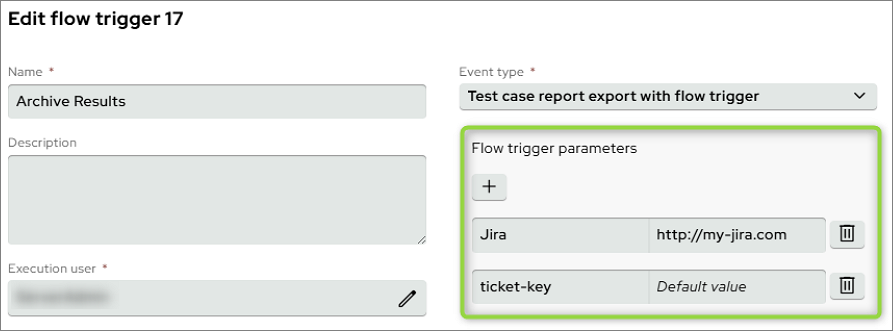
These require a unique name and can optionally be assigned with a default value.
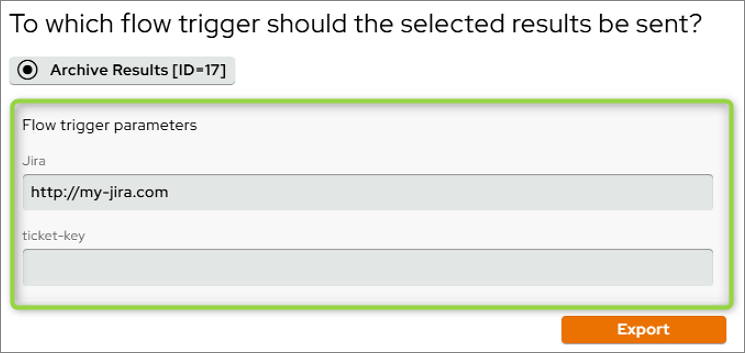
When exporting test case results using this trigger, you can either stick with your default values or manually override them for this execution.
Greater flexibility in test resource requirements
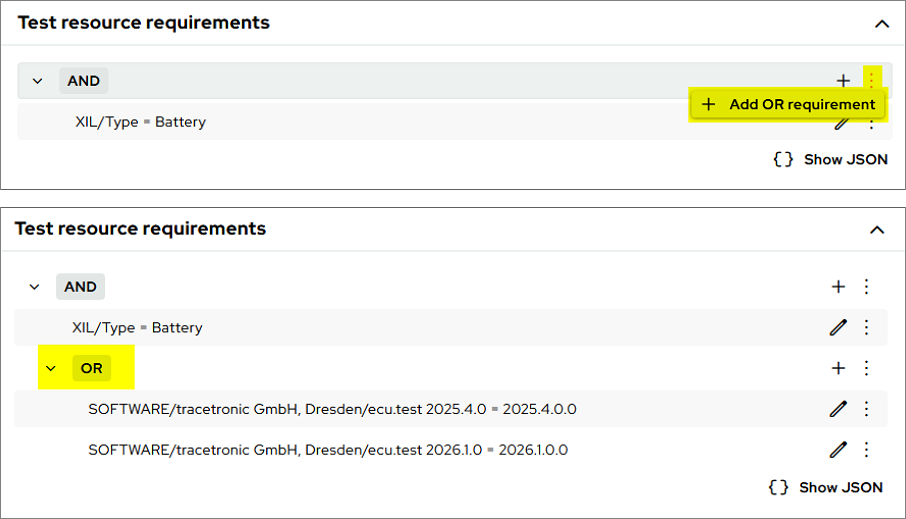
Test resource requirements in playbooks and test execution tasks can now be linked using the OR operator. This allows for significantly greater flexibility in defining the test resources on which a job can be executed.
Within AND-linked requirements, you can create an OR-type requirement containing a list of OR-linked requirements.
Within AND-linked requirements, you can create an OR-type requirement containing a list of OR-linked requirements.
Overview of new Q-Gate improvements
Filtering the Q-Gate plan overview
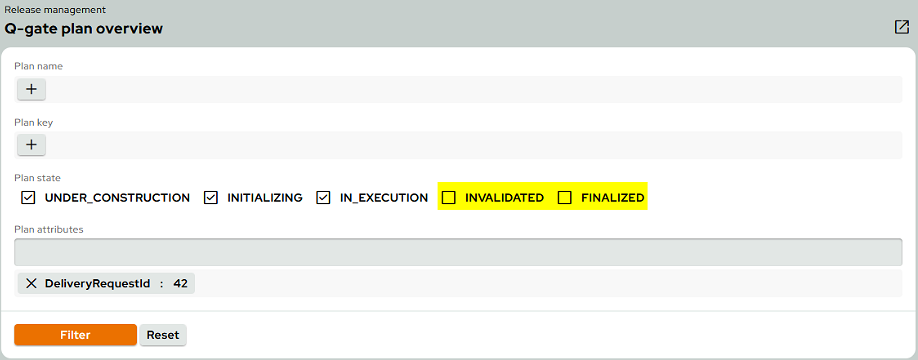
The Q-Gate plan overview has been updated and now offers the option of filtering by plan status. The default filter automatically hides invalid and finalized plans. Additionally, you can filter specifically by plan name, key, and attributes.
Shared-Q-Gates and Pull-Q-Gates
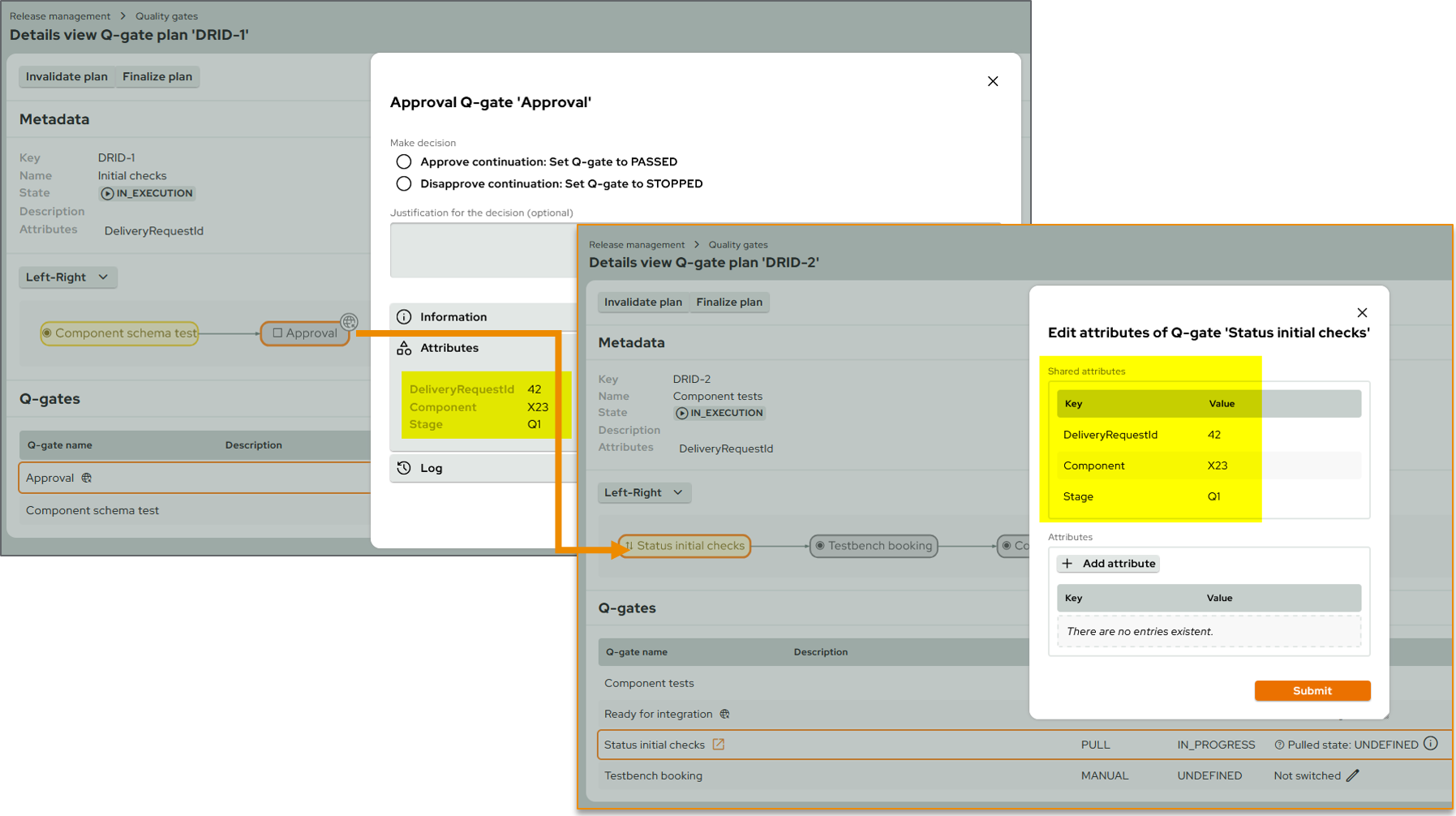
Exchanging information between Shared-Q-Gates and Pull-Q-Gates is now much simpler: Attributes of a Shared-Q-Gate — such as component or stage – are now automatically available to the linked Pull-Q-Gate, both in the GUI and via the API.
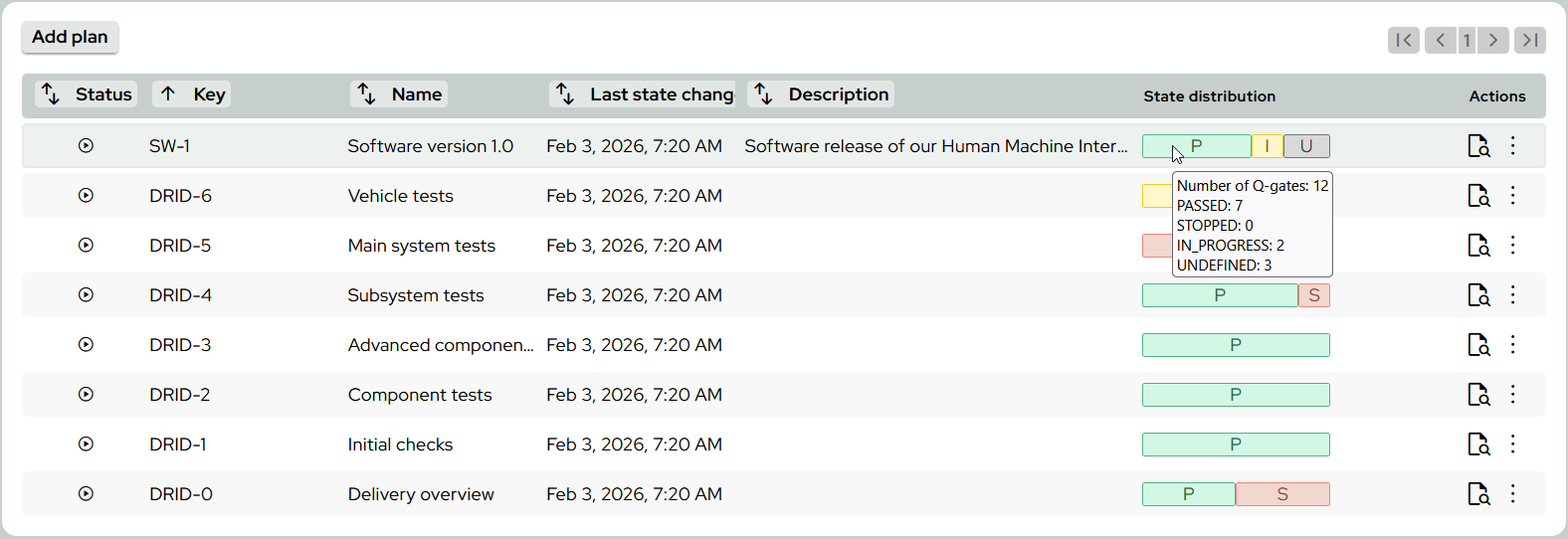
New status overview via progress bar
The new progress bar offers a quick overview of the status of Q-Gate plans, without the need for lengthy searches or clicks.